Making Tax Digital
HMRC Has Signed Me Up for Making Tax Digital – What Do I Do Now?
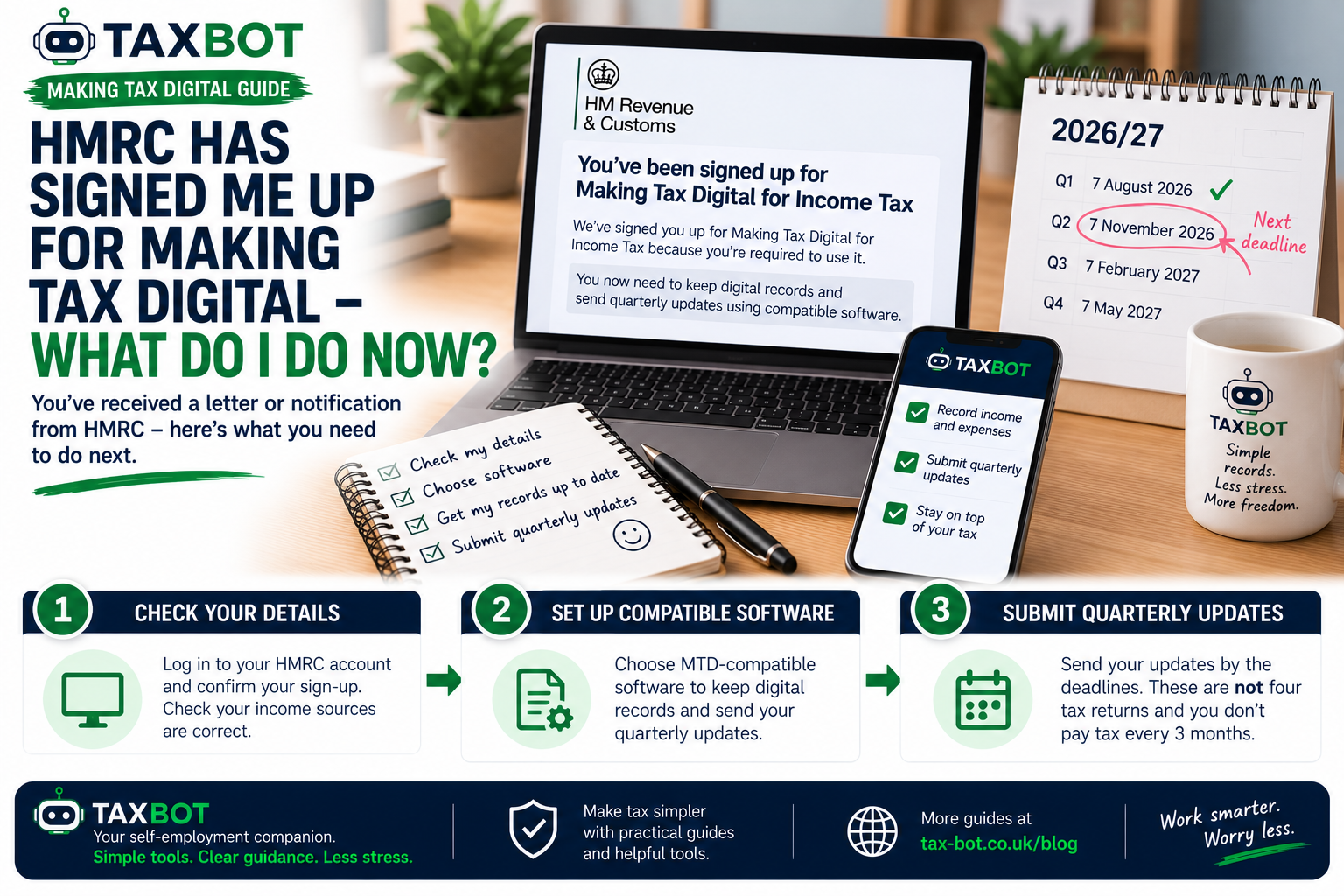
HMRC Has Signed Me Up for Making Tax Digital – What Do I Do Now?
You've received a letter or notification from HMRC telling you that you've been signed up for Making Tax Digital for Income Tax.
But you never registered yourself.
Perhaps you're wondering whether it's genuine, whether you need to buy accounting software or whether you're suddenly expected to submit four tax returns every year.
If that sounds familiar, you're not alone in finding the new system confusing.
From September 2026, HMRC began automatically signing up certain sole traders and landlords who are required to use Making Tax Digital but haven't registered themselves.
So receiving a notification doesn't necessarily mean something has gone wrong.
However, being signed up is only the beginning. There are still important things you need to do.
Here's what happens next.
Why Has HMRC Automatically Signed Me Up?
Making Tax Digital for Income Tax, often shortened to MTD, changes how eligible sole traders and landlords keep records and report income and expenses.
From 6 April 2026, the rules generally apply to sole traders and landlords whose qualifying income exceeded £50,000 in the 2024/25 tax year, unless an exemption applies.
HMRC has started automatically signing up eligible taxpayers who haven't already registered.
It uses information from previous tax returns to identify people who appear to meet the requirements.
For example, if your 2024/25 Self Assessment showed £65,000 of qualifying self-employment income, HMRC may have identified you as someone who needs to use MTD.
Importantly, the threshold is based on qualifying gross income before expenses, not taxable profit.
Does This Mean I'm Already Fully Set Up?
No.
This is probably the most important thing to understand.
Being signed up by HMRC does not automatically mean that your bookkeeping software is connected or your records are ready.
You still need to check your details, choose compatible software and make sure your digital records are complete.
Think of it this way:
HMRC has registered you for the system. You still need to prepare to use it.
Step 1: Check Your HMRC Online Account
Start by accessing your HMRC online services account directly.
Look for the Making Tax Digital for Income Tax section.
If HMRC has signed you up, you should see confirmation in your account.
You may also receive confirmation through HMRC online services or by post.
Don't rely on an unexpected email or text message containing a link. Access HMRC's services independently to check your status.
Step 2: Check Your Income Sources
This is particularly important because HMRC may have signed you up using information from an earlier tax return.
Your circumstances might have changed since then.
For example, perhaps you previously had two self-employed businesses but now operate only one.
Or perhaps you stopped renting out a property.
You should check that HMRC's records correctly reflect your current self-employment and property income sources.
If something has changed, update the relevant information through HMRC's Making Tax Digital service or contact HMRC as directed.
What If I've Stopped Being Self-Employed?
The date matters.
If all your self-employment and property income sources stopped before 6 April 2026, you may not need to use MTD for the 2026/27 tax year, but you should update HMRC's records.
You may still need to submit your 2025/26 Self Assessment tax return.
If your income sources stopped on or after 6 April 2026, MTD obligations may still apply for part of the year, including a quarterly update covering the period up to cessation.
Don't assume that closing your business automatically cancels your MTD registration.
Step 3: Choose Compatible Software
Making Tax Digital requires eligible taxpayers to use compatible software.
The software needs to support the relevant digital record-keeping and HMRC reporting requirements.
Under MTD, you'll generally use software to:
Keep digital records of business income and expenses.
Prepare and send quarterly updates.
Complete the required year-end tax return process.
You don't necessarily need a complicated accounting package with dozens of features you'll never use.
The important thing is to choose software that supports your particular circumstances and the relevant HMRC requirements.
If you're considering TaxBot, check its current HMRC recognition status and available features before relying on it for statutory submissions.
Step 4: Get Your Records Up to Date
If you've only just received your automatic sign-up notification in October 2026, you might be wondering:
"Do I only need to start recording transactions from today?"
No.
If you're required to use MTD from 6 April 2026, you generally need digital records covering the relevant period from the start of the tax year.
For taxpayers using standard tax-year update periods, that means records from 6 April 2026.
If you've been using paper notes, spreadsheets or bank statements, you may need to organise earlier transactions into compatible digital records.
For example, you might need to gather your sales, invoices, expenses and other relevant records from April onwards.
It's much easier to catch up now than to leave everything until January.
Step 5: Understand Quarterly Updates
One of the biggest changes under MTD is quarterly reporting.
Instead of waiting until the end of the year to report your business figures, you submit summaries during the year.
These updates contain totals from your digital records, including relevant income and expense categories.
They are not four full Self Assessment tax returns.
You still have an annual tax return process.
Quarterly updates help HMRC receive information throughout the year and can help you monitor your estimated tax position.
What Are the MTD Quarterly Deadlines?
For taxpayers using standard tax-year update periods, the 2026/27 deadlines are:
Period covered
Deadline
6 April – 5 July 2026
7 August 2026
6 April – 5 October 2026
7 November 2026
6 April 2026 – 5 January 2027
7 February 2027
6 April 2026 – 5 April 2027
7 May 2027
Notice that the updates are cumulative.
Each update covers the tax year to date, rather than only the latest three months.
Some taxpayers can choose calendar-based update periods instead, although the submission deadlines remain the same.
What If I've Already Missed the First Deadline?
The first quarterly deadline was 7 August 2026.
If HMRC has only recently signed you up, that date may already have passed.
The important thing is to get your records up to date and submit the outstanding information through compatible software.
For the 2026/27 tax year, HMRC is not applying late-submission penalty points for missed quarterly updates.
However, that doesn't mean you can ignore the reporting requirements.
You still need to maintain digital records and send the required updates before completing your annual tax return.
Do I Have to Pay Tax Four Times a Year?
No. Making Tax Digital does not automatically mean paying Income Tax every three months.
This is a common misunderstanding.
Quarterly updates are reporting requirements.
Your normal Self Assessment payment obligations continue to apply, including payments on account where relevant.
For the 2026/27 tax year, the normal deadline for submitting your MTD Income Tax return and paying any balancing tax due is 31 January 2028.
You may also have payments on account due on the usual dates.
So don't confuse:
Quarterly reporting
with
Quarterly tax payments.
They're different things.
What About My 2025/26 Tax Return?
This is another detail worth remembering.
Even if HMRC has signed you up for MTD from April 2026, you still need to deal with the previous tax year.
If you're required to submit a Self Assessment return for 2025/26, the normal online deadline is 31 January 2027.
That return is completed under the previous process.
Your first MTD Income Tax return for 2026/27 will normally be due by 31 January 2028.
What If I Don't Think MTD Should Apply to Me?
Don't ignore the notification.
HMRC may be working with information that no longer reflects your circumstances.
For example, you may have stopped trading, changed your income sources or believe you're entitled to an exemption.
Check the information in your HMRC account and contact HMRC if you think you've been signed up incorrectly.
Certain taxpayers can qualify for exemptions, including some people who are digitally excluded because it is not reasonable for them to use digital tools.
But an exemption should not simply be assumed.
Can I Still Use an Accountant?
Yes.
Making Tax Digital doesn't mean you must manage everything without professional help.
An accountant or authorised tax agent can help with digital records, reporting obligations and tax returns.
You should agree who is responsible for keeping records, submitting quarterly updates and completing the annual return.
What Happens If I Do Nothing?
If you're required to use MTD, ignoring the notification won't remove your obligations.
You could fall behind with record-keeping, quarterly updates and your annual tax return.
Although there is first-year relief from quarterly late-submission penalties for 2026/27, other tax obligations and applicable penalties remain relevant.
The safest approach is to check your status and prepare as soon as possible.
A Simple MTD Checklist
If HMRC has automatically signed you up:
1. Check your HMRC account. Confirm that the sign-up is genuine.
2. Review your income sources. Make sure HMRC's information is correct.
3. Check whether MTD applies to you. Consider any relevant changes or exemptions.
4. Choose compatible software. Make sure it supports your reporting requirements.
5. Catch up with your digital records. Include the relevant transactions from the beginning of your MTD period.
6. Check outstanding quarterly updates. Don't assume that automatic sign-up means they're already completed.
7. Keep your annual tax deadlines in mind. MTD doesn't remove your annual return and payment responsibilities.
Frequently Asked Questions
Can HMRC sign me up for MTD without asking?
Yes. From September 2026, HMRC began automatically signing up certain taxpayers required to use MTD for Income Tax from April 2026.
Does being signed up mean I've connected my software?
No. You still need to prepare and use compatible software.
Do I need to upload every receipt to HMRC?
Quarterly updates generally contain summaries of income and expense categories, rather than individual receipt images. You still need to maintain appropriate supporting records.
I've been signed up but my turnover has fallen. Can I leave MTD?
Not automatically. Eligibility and exit rules depend on the relevant tax years and circumstances. Contact HMRC if you believe your registration is incorrect.
Will I be fined for missing my first quarterly update?
HMRC is not applying late-submission penalty points to quarterly updates for 2026/27. You still need to complete the required updates.
Do I still need to submit a tax return?
Yes. MTD changes the way eligible taxpayers keep records and submit information, but it doesn't remove the annual Income Tax return requirement.
Final Thoughts
If HMRC has automatically signed you up for Making Tax Digital, there's no need to panic.
But there is some work to do.
Start by checking your HMRC account and making sure your income sources are correct.
Then choose appropriate software, organise your digital records and check which quarterly updates are outstanding.
The biggest mistake would be assuming that because HMRC has signed you up, everything else has already been taken care of.
A little preparation now can make the transition to Making Tax Digital much easier.
Disclaimer
This article is for general information only and does not constitute tax, legal or financial advice. Making Tax Digital requirements and HMRC procedures can change. Always check current HMRC guidance or consult a qualified UK tax adviser or accountant for advice specific to your circumstances.
Handle your MTD returns automatically
Snap receipts, log income, submit to HMRC — all from Telegram.
Try TaxBot →