CIS / Construction
What Are CIS Deductions? A Plain-English Guide for Subcontractors
If you work in construction and the amount you're paid doesn't match the figure on your invoice, you're not alone. Thousands of subcontractors across the UK are confused by CIS deductions every year — wondering where the money went and whether they'll ever get it back.
The good news is: you will. Here's exactly what's happening and what it means for you.
What Is CIS?
CIS stands for the Construction Industry Scheme. It's a system run by HMRC that controls how contractors pay subcontractors for construction work in the UK.
Under CIS, contractors deduct money from a subcontractor's payments and pass it directly to HMRC. These deductions count as advance payments towards the subcontractor's tax and National Insurance.
Think of it like tax being collected at source — similar to how an employer deducts income tax from an employee's wages through PAYE. Except with CIS, you're self-employed, and the deduction is made by whoever is paying you for the job.
Why Is Money Being Taken From My Pay?
This is the most common question — and the answer depends on whether you're registered with CIS or not.
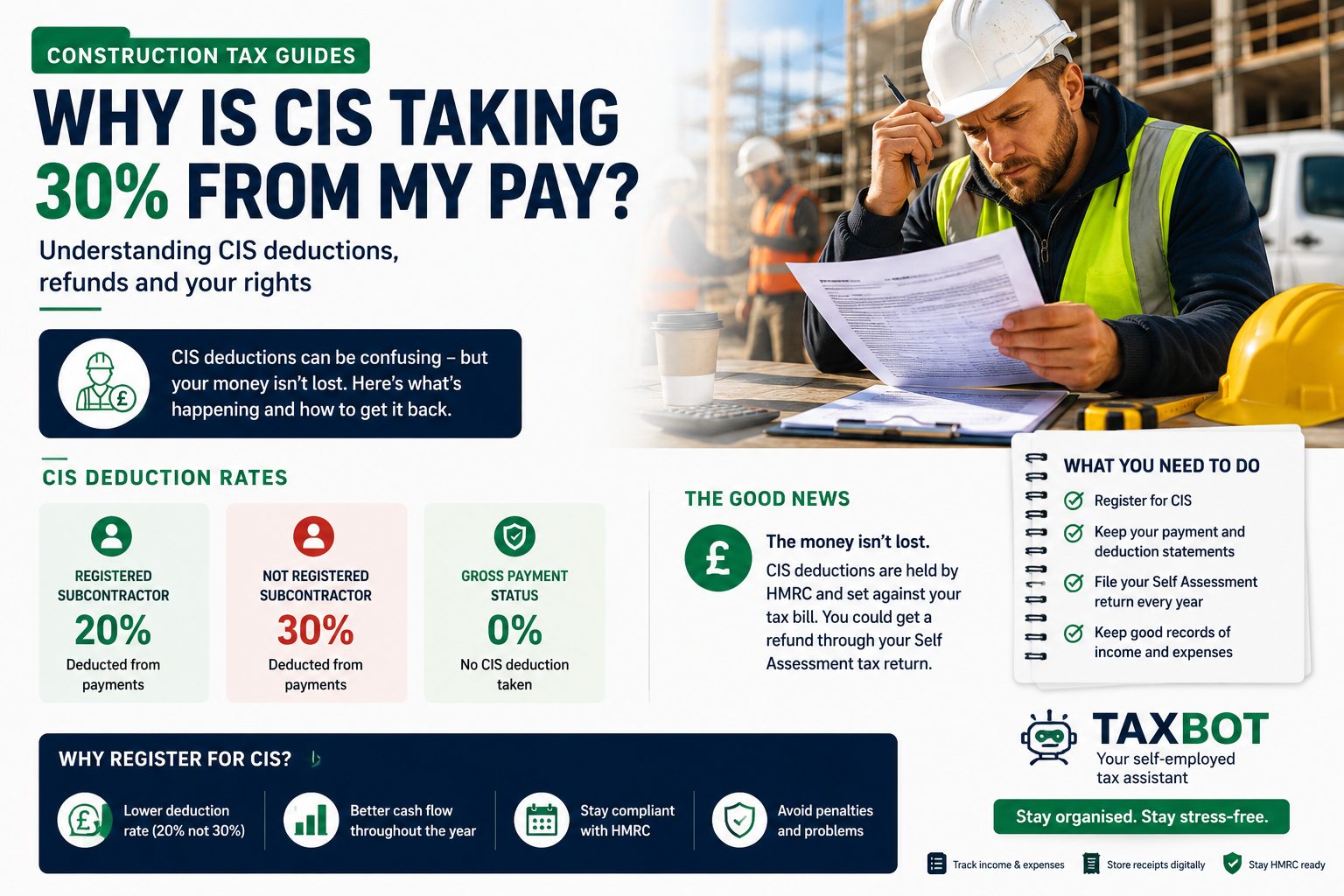
According to HMRC guidance, contractors must deduct 20% from payments to registered subcontractors. If you're not registered, that rate rises to 30%.
So in plain terms:
Registered with CIS → contractor deducts 20%
Not registered with CIS → contractor deducts 30%
Gross payment status → contractor deducts 0% (more on this below)
That money isn't lost. It's being held by HMRC on your behalf and set against your tax bill at the end of the year.
What Work Does CIS Cover?
CIS covers most construction work to a permanent or temporary building or structure, as well as civil engineering work such as roads and bridges.
According to HMRC, construction work for CIS purposes includes:
Preparing the site — laying foundations and providing access works
Demolition and dismantling
Building work
Alterations, repairs, and decorating
Installing systems for heating, lighting, power, water, and ventilation
Cleaning the inside of buildings after construction work
What's NOT covered by CIS?
HMRC confirms that certain jobs fall outside the scheme, including:
Architecture and surveying
Scaffolding hire (with no labour)
Carpet fitting
Making materials used in construction
Delivering materials
Work on construction sites that's clearly not construction — for example, running a canteen or site facilities
If you're unsure whether your work falls under CIS, the HMRC CIS guide (CIS 340) sets out the full details.
Do I Have to Register for CIS?
Registering is not legally required — but it is strongly in your interest.
HMRC guidance is clear: subcontractors who are not registered pay deductions at 30% rather than 20%. The difference on a £2,000 payment is £200 — in every single payment. Over a full year of work, that creates a significant and unnecessary cash flow problem, even though you'd eventually get the money back through your tax return.
You should register for CIS if you work for a contractor and you are:
A sole trader
The owner of a limited company
A partner in a partnership or trust
You can register as a CIS subcontractor through your HMRC online account or by calling the CIS helpline on 0300 200 3210.
What Is Gross Payment Status?
Gross payment status means a contractor pays you in full with no CIS deduction at all. You then manage your own tax through Self Assessment at the end of the year.
To apply, HMRC will check that you:
Have filed all tax returns on time and paid tax when due
Have a UK bank account
Meet the minimum annual turnover threshold (currently £30,000 for sole traders)
HMRC reviews gross payment status every year. It can be withdrawn if you fall behind on your tax obligations — so it's important to stay up to date with your returns if you hold this status.
How Do I Get My CIS Deductions Back?
At the end of each tax year, you file a Self Assessment tax return. You declare your total income and allowable expenses, and HMRC calculates your actual tax bill.
The CIS deductions taken throughout the year are offset against that bill. If more was deducted than you actually owe — which is very common for subcontractors — HMRC will refund the difference.
Example: A sole trader subcontractor earns £28,000 in the 2025/26 tax year. Their contractor deducted £5,600 at 20%. After allowable expenses, their actual tax and National Insurance bill comes to £3,800. HMRC refunds the remaining £1,800.
The key is filing your Self Assessment return accurately and on time. The deadline for online returns is 31 January following the end of the tax year.
What Records Should I Keep?
Each time a contractor pays you, they should provide a payment and deduction statement. Keep every one of these — you'll need them when completing your Self Assessment return.
Good records to keep include:
All payment and deduction statements from contractors
Invoices you've issued for work done
Receipts for business expenses (tools, materials, travel, etc.)
Bank statements
HMRC can ask to see these records, so keep them for at least five years after the relevant tax year.
Practical Tips for CIS Subcontractors
Register for CIS as soon as possible — the difference between 20% and 30% deductions adds up fast. Registration is free and straightforward via HMRC.
Always ask for your payment and deduction statement — your contractor is required to give you one every time they pay you.
File your Self Assessment return every year — this is how you reclaim overpaid CIS deductions. Missing the 31 January deadline means an automatic £100 penalty.
Keep all your expense receipts — tools, fuel, protective clothing, and some training costs can all reduce your taxable profit and increase your refund.
Look into gross payment status if you're a higher earner with a strong compliance record — receiving your full pay upfront can make a real difference to your day-to-day cash flow.
FAQs
My contractor is deducting 30% — what should I do? This usually means you're either not registered for CIS, or your contractor couldn't verify your details with HMRC. Register for CIS straight away. Once verified, your deduction rate should drop to 20% from your next payment.
I'm registered but still having 30% deducted — why? Your contractor must verify your status with HMRC before paying you. If your name, UTR, or National Insurance number doesn't match HMRC's records exactly, they're required to deduct at 30%. Contact HMRC to confirm your registration details are correct.
Do I still need to file a Self Assessment return under CIS? Yes. As a self-employed subcontractor, you must file a Self Assessment return every year. This is how your actual tax liability is worked out and how you reclaim any CIS deductions.
Can I claim expenses against my CIS income? Yes. Allowable business expenses — such as tools, protective clothing, business mileage, and certain training costs — reduce your taxable profit. Keep receipts for everything.
What if I've never filed a return despite working under CIS? Contact HMRC as soon as possible. Penalties and interest can build up over time, but HMRC has a voluntary disclosure process to help people get their affairs in order. Speaking to an accountant first is advisable.
Summary
CIS deductions are not money disappearing — they're advance tax payments held by HMRC on your behalf. Registering for CIS keeps your rate at 20% rather than 30%, and filing an accurate Self Assessment return each year ensures you get back anything you've overpaid.
If you're unsure whether you're registered correctly, or you've never filed a return despite working under CIS, it's worth speaking to a qualified accountant who understands the construction sector.
For the official HMRC rules, visit gov.uk/what-is-the-construction-industry-scheme. This article is for general information purposes only and does not constitute tax, legal, or financial advice. Tax rules can change and individual circumstances vary. Always consult a qualified UK tax adviser or accountant for advice tailored to your situation.
Handle your MTD returns automatically
Snap receipts, log income, submit to HMRC — all from Telegram.
Try TaxBot →